
How to Capture UTM Parameters in Webflow Forms Automatically
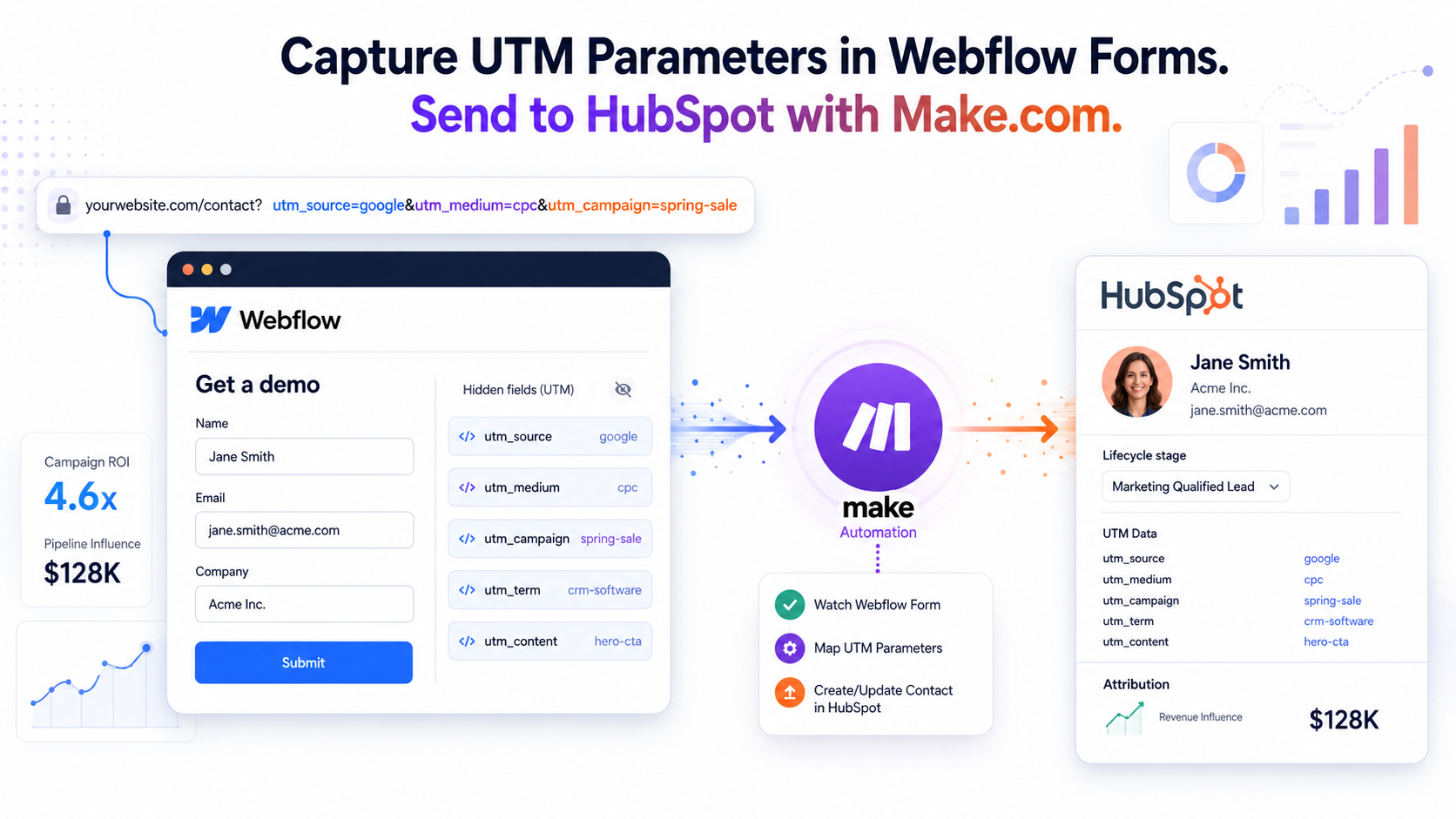


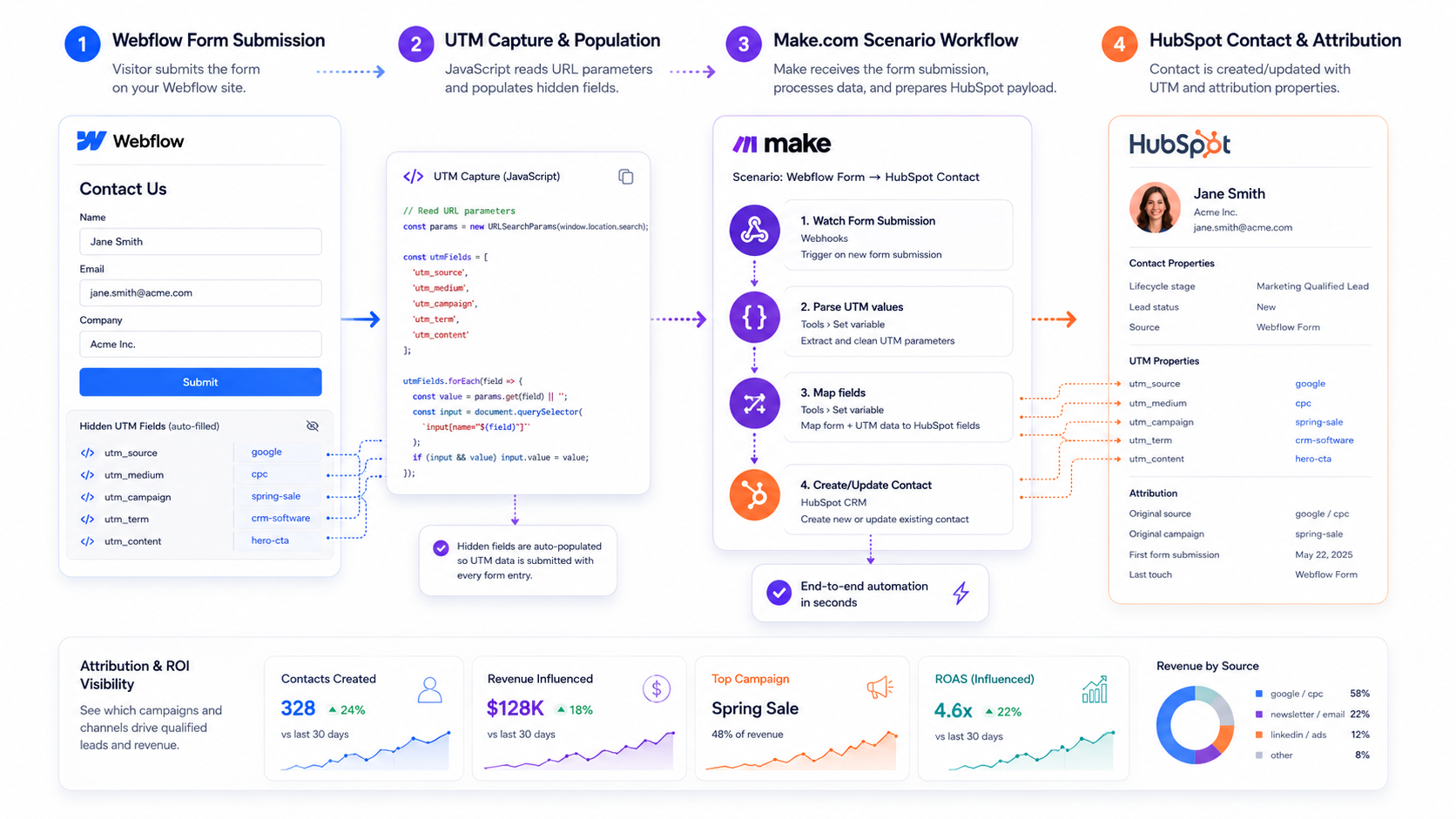
To track your marketing attribution accurately, you must capture UTM parameters directly within your Webflow forms before sending them to your CRM. Start by adding hidden input fields inside your Webflow form block, naming them precisely after your tracking variables: utm_source, utm_medium, utm_campaign, utm_term, and utm_content. By embedding a lightweight JavaScript snippet in your page or global site settings, Webflow will automatically parse the visitor's URL query strings upon landing and inject those tracking values into the corresponding hidden fields seamlessly when the form is submitted.
<script>document.addEventListener("DOMContentLoaded", function() {
// Function to get query parameters by name
function getQueryParam(param) {
const urlParams = new URLSearchParams(window.location.search);
return urlParams.get(param);
}
// List of UTM parameters to track
const utmParams = ['utm_source', 'utm_medium', 'utm_campaign', 'utm_term', 'utm_content'];
// Loop through and populate hidden form fields
utmParams.forEach(function(param) {
const paramValue = getQueryParam(param);
if (paramValue) {
// Looks for inputs with matching ID or Name attributes
const targetField = document.querySelector(`input[name="${param}"], input[id="${param}"]`);
if (targetField) {
targetField.value = decodeURIComponent(paramValue);
}
}
});});
</script>Routing Webflow Form Data to HubSpot Using Make
Once your Webflow form successfully captures hidden UTM data, you can seamlessly route this information to HubSpot using Make.com without writing complex API integrations. Create a new scenario in Make using a "Watch Form Submissions" Webflow trigger, which instantly captures incoming form data as a webhook payload. Next, add a HubSpot "Create or Update a Contact" module to your workflow, mapping the standard contact information along with your custom Webflow UTM fields directly to your matching HubSpot contact properties to preserve clean, multi-touch attribution data.
Want to apply this to your setup?
Why Integrating Webflow, Make, and HubSpot Maximizes Marketing ROI
Automating the pipeline between Webflow, Make, and HubSpot bridges the gap between top-of-funnel acquisition and bottom-of-funnel conversions, giving revenue teams complete visibility into marketing ROI. Instead of guessing which campaigns drive high-value leads, this closed-loop data flow ensures every closed-won deal in HubSpot is mapped back to its exact organic or paid source. Implementing this specific tech stack fundamentally improves data integrity, eliminates manual entry errors, and empowers growth marketers to scale ad spend efficiently based on real revenue metrics rather than vanity clicks.
Capturing UTMs is step one — keeping them attached to the contact is the real work. Our Webflow HubSpot integration passes first-touch UTMs, gclid, and the hutk cookie into HubSpot so attribution survives all the way to closed-won.
Does this work outside Webflow — Paperform, Fluent Forms, HubSpot forms?
Yes — the pattern is tool-agnostic: hidden fields plus a script (or built-in merge tag) that copies URL parameters into them.
- UTM parameters in Paperform: Paperform reads URL parameters natively — add hidden fields whose keys match (
utm_source, etc.) and pass values via the form URL or embed. No script needed. - UTM parameters in Fluent Forms (WordPress): add hidden fields and use the default-value shortcode
{get.utm_source}to pull each parameter from the query string. - HubSpot native forms: HubSpot auto-captures original source analytics, but explicit UTM contact properties still win for reporting — add hidden fields to the form and they populate from the URL automatically.
Whichever form tool you use, persist first-touch values in a cookie or localStorage so attribution survives multi-page journeys — the script above does exactly that for any HTML form.
Want this built for you?
Webflowforge builds Webflow automation services that connect your forms, CMS, and CRM for service companies and SaaS teams. Prefer to skip the setup? Tell us about your project and we'll scope it with you.
Related guide: Webflow + HubSpot + Stripe: Fixing PLG Data Silos with n8n





