
Luxury Real Estate Landing Page in Webflow
A property campaign concept built to help prospective buyers feel the space before requesting a viewing.
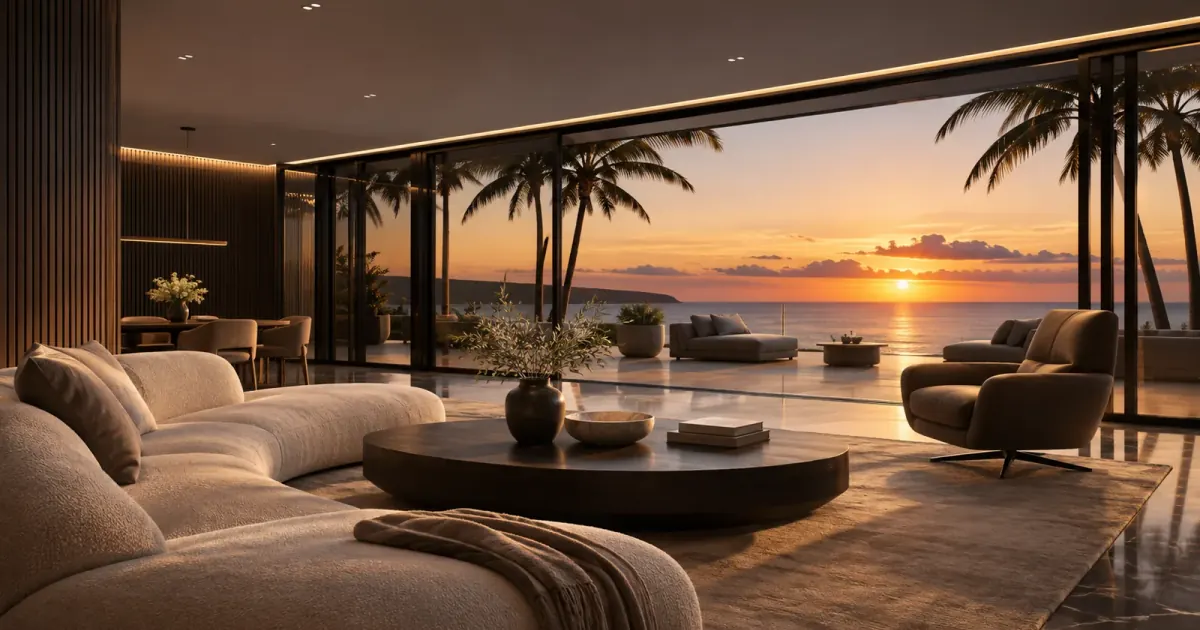
A property can look very different once the distractions are removed. Furniture, personal belongings and inconsistent photographs can make it difficult for a potential buyer to focus on the space itself.
That observation led us to build a luxury real estate landing page in Webflow: a dedicated destination where visitors can move through a short, cinematic presentation of one property, pause at each room and decide whether they want to arrange a viewing.
The project combines AI-assisted image preparation, a walkthrough created with Higgsfield and custom JavaScript video progression. Wistia was part of the original video setup. The goal was a premium first impression for traffic from Google Search ads, Facebook ads and other paid campaigns.
Why we built a dedicated property landing page
While researching real estate websites, we found relatively few examples that gave an interested visitor a clean, focused walkthrough of an individual property. A collection of images could show the rooms, but it did not always communicate the atmosphere or make it easy to imagine spending time there.
We wanted to explore a different first encounter. What if a buyer could arrive from an ad and experience a short introduction to the property before making contact?
Think of it as a digital business card for a high-end home. The page gives one penthouse, villa or premium property its own presentation, with a clear next step for someone who feels a connection.
Who the concept is for
We designed the concept for realtors and property companies marketing high-end listings. It is particularly relevant when an individual property has enough visual character and commercial value to justify its own campaign destination.
A dedicated page also lets the campaign tell one story. An ad introduces the property; the landing page develops that introduction; the contact form invites the visitor to continue the conversation. This was the intended campaign use, rather than a claim that the pilot has already improved advertising results.
From property photographs to a short AI walkthrough
We began with images from a real property and used AI image editing through Codex to clean up the presentation. The aim was to reduce visual clutter and create a consistent feel across the material.
We then uploaded around five to eight prepared images to Higgsfield and requested a roughly 20-second walkthrough. The brief asked for movement from room to room, with approximately two-second pauses so each space had a moment of its own.
Those pauses mattered because the website would use them as chapters. A visitor needed time to look at a room and read the accompanying text before moving on. A visually impressive clip alone would not be enough; the sequence had to support the interaction we wanted to build.
This is an AI-assisted visual presentation. For a real listing, edited imagery and generated movement should be reviewed against the property and clearly identified where appropriate. The experience introduces the home; accurate property details and an actual viewing still matter.
Why Webflow, Wistia and custom JavaScript were part of the process
Webflow: the page around the experience
Webflow provided the page framework: the visual presentation, room-specific copy and contact experience. Our Webflow design and development services bring these parts together around the page's purpose: helping an interested visitor take the next step.
Wistia: a familiar, configurable video setup
We had used Wistia for years, so it was a familiar starting point. Its API and customization controls in the dashboard and embeds suited the way we wanted to work with the video. For this project, we expected more friction achieving the same setup with a YouTube embed.
Why we moved the walkthrough to native video playback
As the interaction became more precise, we moved the walkthrough controls from the original Wistia setup to native HTML video playback with custom JavaScript. The reason was specific to this experience: we wanted smoother transitions and more direct control over exactly where each room segment stopped.
Wistia was a useful starting point, particularly because of its API and familiar customization tools. Native playback became the better fit for the tightly choreographed room navigation we were building.
JavaScript: connecting playback to the room on screen
The most demanding part was making the video stop at the intended room and keeping the transition fluid. Generated footage, playback timing and animated text needed to agree about where one chapter ended and the next began.
Our interaction code coordinates the video segment, navigation state and room copy. It also includes backward navigation and a transition toward the contact section. These details give visitors control over how they explore the property.
Codex made the development and iteration much simpler. It helped us work through the code, but the visual judgment remained essential: we still had to check whether the room, pause and text felt right together.
What the pilot taught us
The first encouraging signal was the response from prospective clients. We received a lot of interest and emails expressing a “wow” reaction to the page.
The harder signal was price hesitation. Even with AI involved, producing the imagery, refining the video and aligning the interaction took time. Many realtors were interested in the result but hesitant about the cost of commissioning a page like it.
That feedback changed the next priority: improve the production process so the experience takes less time to build and can become more accessible to midsize realtors. Positive reactions were useful evidence of interest; they were not proof of higher conversion rates or faster property sales.
What we would measure in a paid campaign
A future campaign evaluation should connect the experience to meaningful actions: visits by campaign source, progression through the rooms, contact requests and qualified viewing enquiries. The useful question is whether the page helps the right people take the next step at a workable cost.
Those are proposed measurements for a campaign rollout. This concept case study does not report a measured uplift in leads, sales or advertising return.
Give your next property campaign a focused destination
If you are marketing a premium property, tell us about the listing, the images you already have and the audience you want to reach. We can help plan the presentation and build the Webflow experience around it.
Discuss your real estate landing page. To connect enquiries with the team's next steps, explore our Webflow form and workflow automation services.
Real estate landing page questions and answers
Can you create a property walkthrough from photographs?
For this pilot, we used prepared property images as inputs for an AI-generated walkthrough. The resulting sequence then needed editing and interaction work to function as a room-by-room website experience.
Is this a 360-degree virtual tour?
No. This concept follows a directed video sequence with selected room stops. It does not provide free movement through a measured 3D model or a 360-degree capture.
Can the page be used for Google Ads or Facebook campaigns?
That is the intended use: a dedicated destination for a high-end property's paid traffic. Campaign targeting, the offer and the enquiry process would still need to be planned for the specific listing.
How much does a page like this cost?
The scope depends on the source material, number of rooms, video revisions and interaction requirements. The pilot showed that production time is an important part of the price. We scope the work around the property and campaign before quoting.
Can property enquiries be connected to our CRM?
We can scope the form-to-CRM handoff around your existing tools, lead fields and follow-up process. That is an additional implementation service; the property pilot demonstrates the viewing experience. For teams using HubSpot, our Webflow HubSpot integration service connects the website enquiry to the CRM process.


Contact Us
- Webflow\Wordpress\Wix - Website design+Development
- Hubspot\Salesforce - Integration\Help with segmentation
- Make\n8n\Zapier - Integration with 3rd party platforms
- Responsys\Klavyo\Mailchimp - Flow creations



