
WordPress to Webflow Migration Cost and Timeline: A Scope-First Playbook


The cost of moving from WordPress to Webflow depends on what must be rebuilt, transformed, integrated and verified. Page count alone is a weak estimate: 200 consistent articles may be easier to migrate than 20 pages assembled with custom shortcodes, gated content and several business-critical integrations.
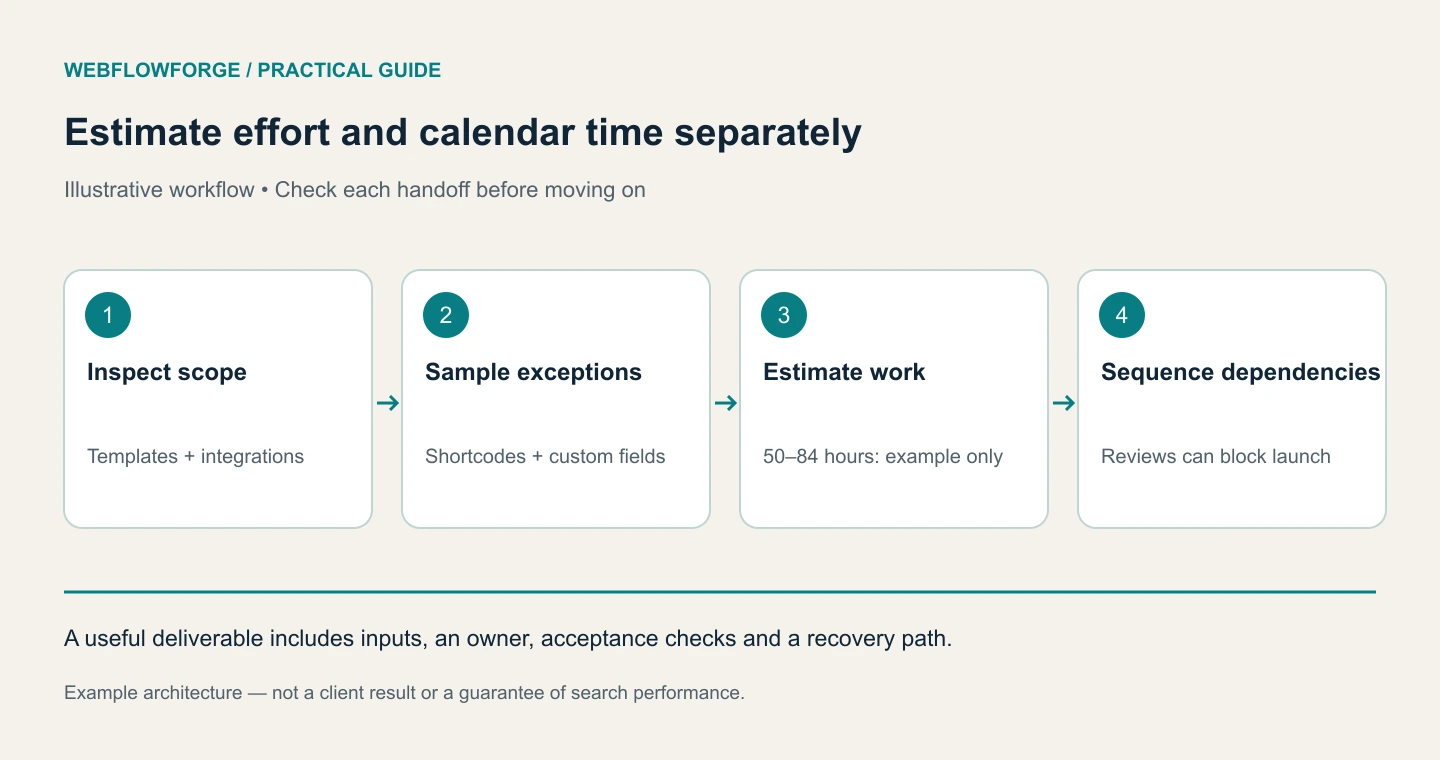
We would start with a paid or clearly bounded discovery scope, turn unknowns into a work breakdown and estimate the implementation from that evidence. The numbers below are hypothetical planning examples, not Webflowforge prices, market benchmarks or a promise about your project.
Define what “migration” includes
Separate content transfer from redesign. Moving approved articles into an existing Webflow template is a different job from rewriting the positioning, designing a component system and changing the site architecture at the same time.
Document the required page templates, CMS collections, content relationships, languages, forms, search behavior, analytics, CRM integrations and redirects. Identify WordPress features that have no direct one-to-one destination: membership, complex faceted search, ecommerce behavior or plugin-generated content may need a new architecture.
Include what happens after launch. Who monitors missing pages? Who repairs an unexpected form mapping? How long does the original system remain available for reference? These are real responsibilities, even when an AI assistant makes parts of the implementation faster.
Want to apply this to your setup?
Sample the difficult content before estimating the batch
Choose representative records: an ordinary article, a long page with tables, a page with embedded media, one with custom fields and one containing legacy shortcodes. Map each into the target CMS and record the manual cleanup required.
If only the simplest article is tested, the estimate can conceal the work required by every exception. Count content patterns as well as items. A repeatable transformation can be automated; an editorial decision still needs an owner.
Review current Webflow plans and limits against the actual requirements rather than assuming an old plan comparison remains accurate. Hosting, third-party services and ongoing maintenance should be listed separately from implementation labor.
Build a transparent estimate
Here is an illustrative work breakdown for a small migration with already-approved design. It is deliberately a calculation you can replace with your own values:
The total is 50–84 hours. At an illustrative rate of $100 per hour, that would be $5,000–$8,400 before any separately agreed contingency, subscriptions, taxes or new design/copywriting work. Neither the hours nor the rate should be treated as a quote for an uninspected site.
Name the assumptions beneath the estimate. For example: one language, no membership system, approved templates, accessible WordPress exports and a client owner who can resolve content questions. If those assumptions change, the scope should change visibly.
Use Claude to expose missing dependencies
We would ask Claude to review the inventory and work breakdown, not guess a price from the homepage.
Review this migration scope and sample transformation report.
List missing dependencies, unresolved decisions and risks that could
change the estimate. Separate labor from calendar waiting time.
Create a work breakdown with acceptance criteria and an owner.
Do not invent market rates or assume unsupported plugin parity.
Mark each estimate as measured, supplied or provisional.
The useful output is a set of questions tied to cost: whether the CRM field mapping is approved, whether images can be reused, whether redirects are available and whether a legacy feature must survive. See Claude's workflow documentation for ways to review files and iterate on concrete artifacts.
Build the timeline from dependencies
Hours do not directly equal elapsed time. Two people may work on content cleanup and template styling in parallel, but both can be blocked by an unapproved content model. DNS access, stakeholder review and third-party testing can also sit on the critical path.
Use milestones with exit criteria: inventory approved; representative content passes; full import reconciled; redirects and forms tested; launch ready; production verified. Assign a decision owner and expected review window to each milestone.
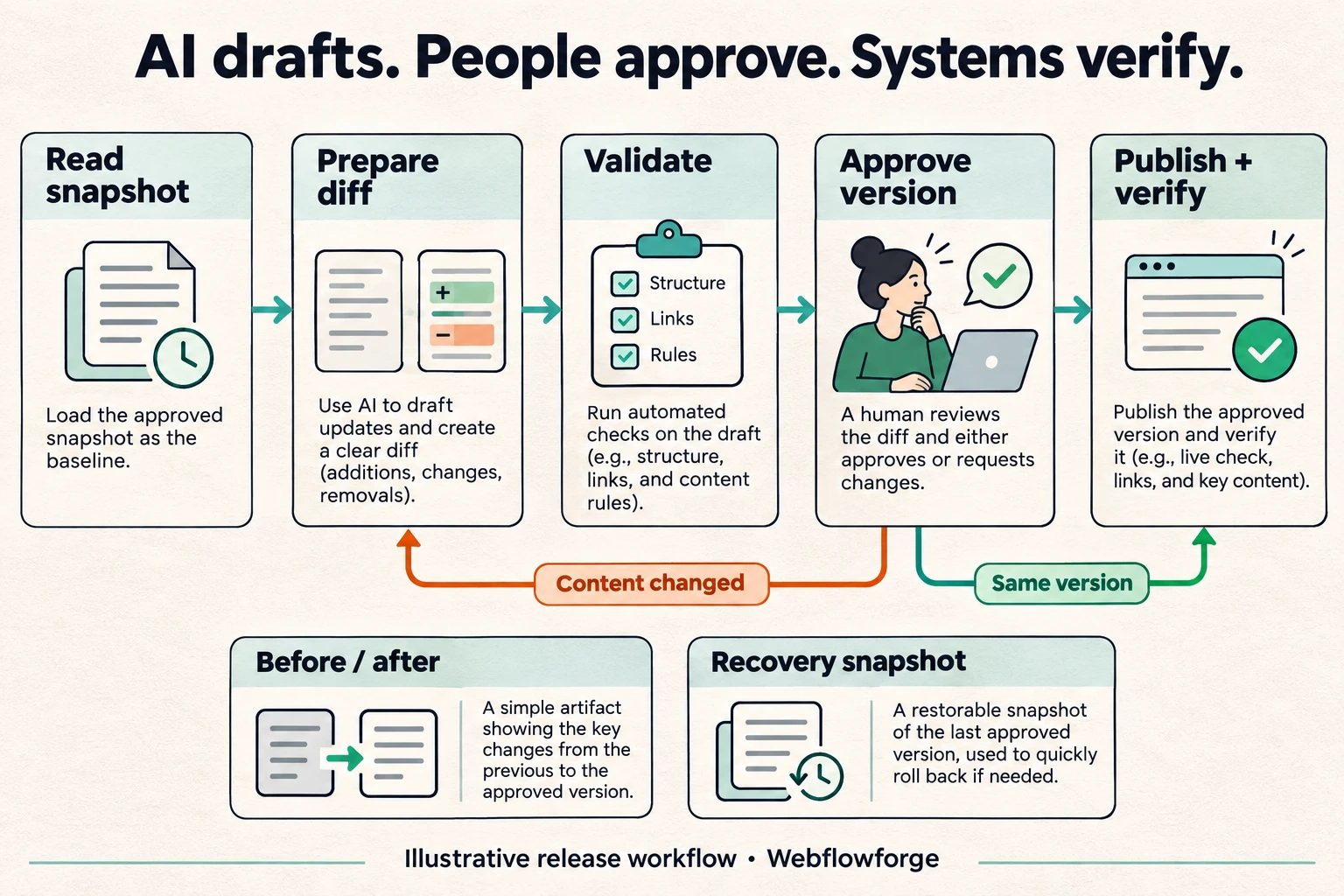
Before launch, agree on a content freeze or delta-import procedure. Otherwise, editors can add material to WordPress after the export and reasonably expect it to appear on the new site. Include a recovery plan for operational failures while recognizing that a domain move and search reprocessing cannot be instantly undone.
Compare proposals on acceptance criteria
A lower quote may exclude redirects, image cleanup, tracking checks or post-launch support. Compare deliverables rather than the total alone. Ask whether the supplier will reconcile source and destination records, test important old URLs and verify that enquiries actually reach the responsible person.
Google's site-move guidance explains why URL mapping and monitoring matter. No supplier can guarantee that a migration will produce no ranking fluctuation.
For execution details, use our WordPress-to-Webflow migration workflow. For a scoped implementation, see WordPress to Webflow migration services.
Questions and answers
How long will it take Google to settle after the move?
There is no reliable fixed duration for every site. Site size, crawl behavior, URL changes and implementation quality affect reprocessing. Monitor the old and new URLs rather than promising a date.
What do you need to scope our project?
A URL inventory, representative content, current integrations, target requirements and access to the people who can approve them. Contact us to turn those inputs into a deliverable-based plan.
Frequently Asked Questions
Only roughly. We also need templates, content patterns, integrations, languages and acceptance requirements. Sampling the difficult pages reduces uncertainty much more than counting URLs alone.
AI can accelerate mapping, transformation scripts and test preparation. It does not remove design decisions, integration ownership, content rights, editorial review or production verification.
It can make sense when the current architecture is a constraint. It also increases dependencies and makes performance changes harder to attribute. Decide deliberately which content, design and URL changes belong in the same release.


