How to Add Structured Data to a Webflow CMS Without Breaking JSON-LD
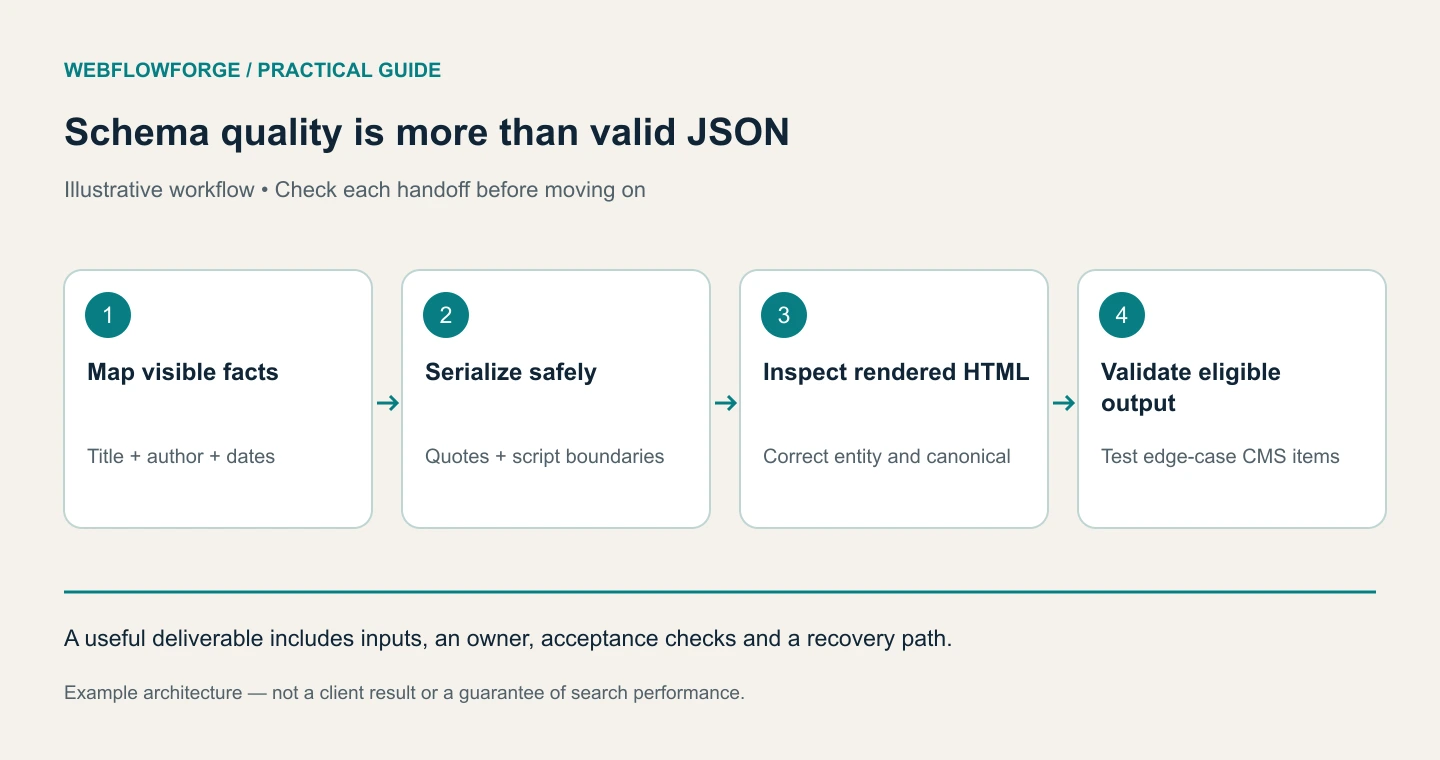
For a Webflow article collection, the difficult part of structured data is keeping it correct across every CMS item. A headline containing quotation marks, a missing author or a changed canonical URL can break a setup that appeared to work on the first page. We would build a field mapping, generate valid JSON-LD from real page data, and test the edge cases before applying it across the collection.
This workflow uses Claude to help inspect the mapping and prepare tests. The example is illustrative; structured data does not guarantee rich results, better rankings or AI citations.
Decide what the page actually represents
An editorial guide can reasonably use Article or BlogPosting. A service landing page should not be described as an article just because that type has familiar fields. Organization, WebSite, WebPage and Article can describe different entities on one site; finding several types is not automatically a duplication problem.
Inspect the rendered page and existing schema before adding anything. Check native Webflow settings, template embeds and injected third-party scripts. Identify who owns each entity and its stable identifier. Two conflicting Article descriptions for the same guide are a maintenance problem even when both parse successfully.
Use Google's Article documentation to check supported properties and the general structured-data guidelines to understand eligibility. Keep the description consistent with what a visitor can see.
Want to apply this to your setup?
Create a field contract
For our example collection, we would map the displayed title to headline, the preferred production URL to mainEntityOfPage, the actual hero image URL to image, the credited author to author and genuine editorial dates to datePublished and dateModified.
Do not invent an author, credentials, review score or publication date to complete a field. If author is missing, decide whether the content needs an editorial correction or whether the optional property should be omitted. A build or deployment timestamp should not masquerade as a substantive editorial update.
Make the canonical URL an explicit input. Otherwise, a staging preview can accidentally produce schema identifying the staging hostname as the article's permanent address. When implementing localized content, generate the URL and language from the current locale rather than reusing one English record everywhere.
Serialize data instead of constructing JSON with raw text
Consider an article titled: How we fix "missing" leads. Inserting that title between unescaped JSON quotation marks can produce invalid JSON. HTML escaping is not a substitute for JSON serialization.
The following JavaScript illustrates a build or server-side serializer. It is not code to paste blindly into every Webflow CMS item:
function serializeArticleJsonLd(article) {
  const data = {
    '@context': 'https://schema.org',
    '@type': 'BlogPosting',
    headline: article.title,
    mainEntityOfPage: article.canonicalUrl, // absolute HTTPS production URL
    datePublished: article.publishedAt,
    dateModified: article.updatedAt,
    ...(article.authorName && { author: { '@type': 'Person', name: article.authorName } }),
    ...(article.imageUrl && { image: [article.imageUrl] })
  };
  // JSON.stringify escapes quotes and newlines;
  // escaping < stops a "</script>" inside content from closing the script element.
  return JSON.stringify(data).replace(/</g, '\\u003c');
}

const tag = `<script type="application/ld+json">${serializeArticleJsonLd(article)}</script>`;
JSON.stringify handles JSON string escaping. Replacing less-than characters matters when the resulting JSON is embedded inside an HTML script element: content containing a closing script tag must not terminate that element. Use a tested integration appropriate to the site's rendering setup. If Webflow's available schema controls already safely generate the desired output, avoid adding a second generator.
The serializer also needs input validation: accept an absolute HTTPS production URL, check image URLs where used and validate date values. Do not let arbitrary CMS text become a schema type or a property name.
Work with Claude on a bounded implementation
We would give Claude a schema inventory, the CMS field definitions and synthetic test records. Keep credentials and private customer information out of those fixtures.
Review this Webflow article field mapping and serializer.
Find JSON escaping, HTML script termination, missing-value,
canonical-host and date problems. Do not invent missing facts.
Create fixtures for quotes, newlines, Unicode, a closing script tag,
an absent author and a staging URL. Show expected pass/fail results.
Return a proposed patch and test report; do not publish the site.
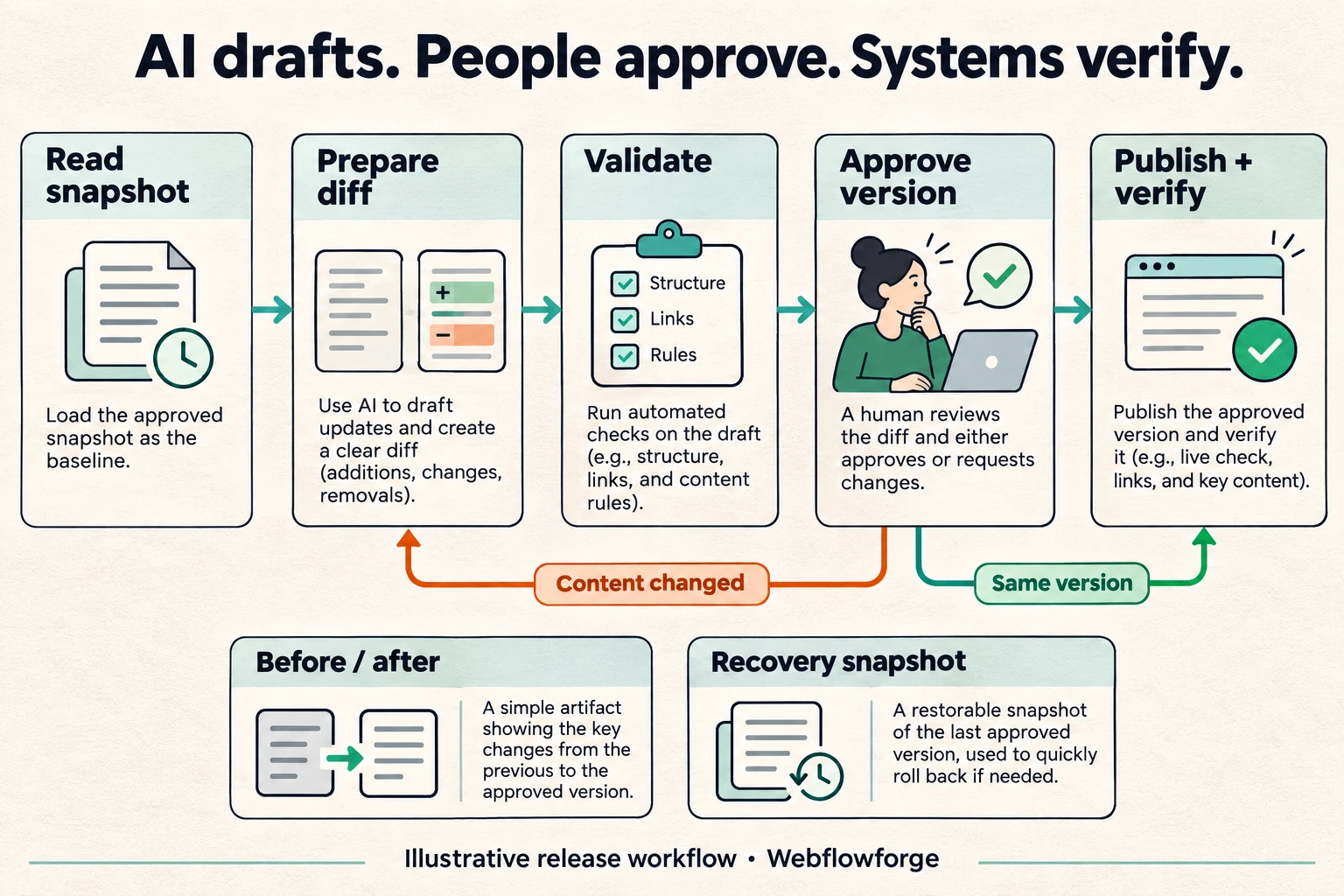
Claude helps produce a reviewable implementation. We would still inspect the emitted HTML because valid standalone JSON can be inserted incorrectly into an HTML page. See Claude Code's common workflows for the broader review-and-test approach.
Test the actual page output
Use three layers of validation. First, parse every generated JSON block. Second, inspect a rendered staging page to confirm the script exists, contains the expected values and has not been split by article content. Third, run Google's Rich Results Test on representative eligible page types.
Include an ordinary article, one with punctuation in the title, an item with optional fields missing and a localized item if applicable. Compare the schema with the visible author, title and dates. A successful validation result checks technical eligibility; it does not promise that Google will display a rich result.
Keep a before/after snapshot and change one template owner at a time. After release, inspect a live URL and monitor Search Console enhancement reports where relevant. If the issue affects a shared template, fix that template rather than manually patching dozens of items.
Frequently Asked Questions
There is no such guarantee. Accurate structured data can help describe content, but it does not replace indexability, useful answers or evidence. Google's AI-feature guidance does not require a special AI schema type.
No. Useful visible questions and answers are valuable on their own. Google retired FAQ rich results in May 2026, so adding FAQ markup is not a way to obtain that search feature. See Google's documentation changelog. Keep the Q&A because it answers real reader questions.
Do not turn testimonials into an invented aggregate rating. Eligibility depends on the entity, the actual review data and Google's relevant policies. Describe only evidence you genuinely have and verify whether the proposed markup is eligible.