
Best Marketing Website Platform for SaaS in 2026: Webflow vs WordPress vs Framer vs Wix
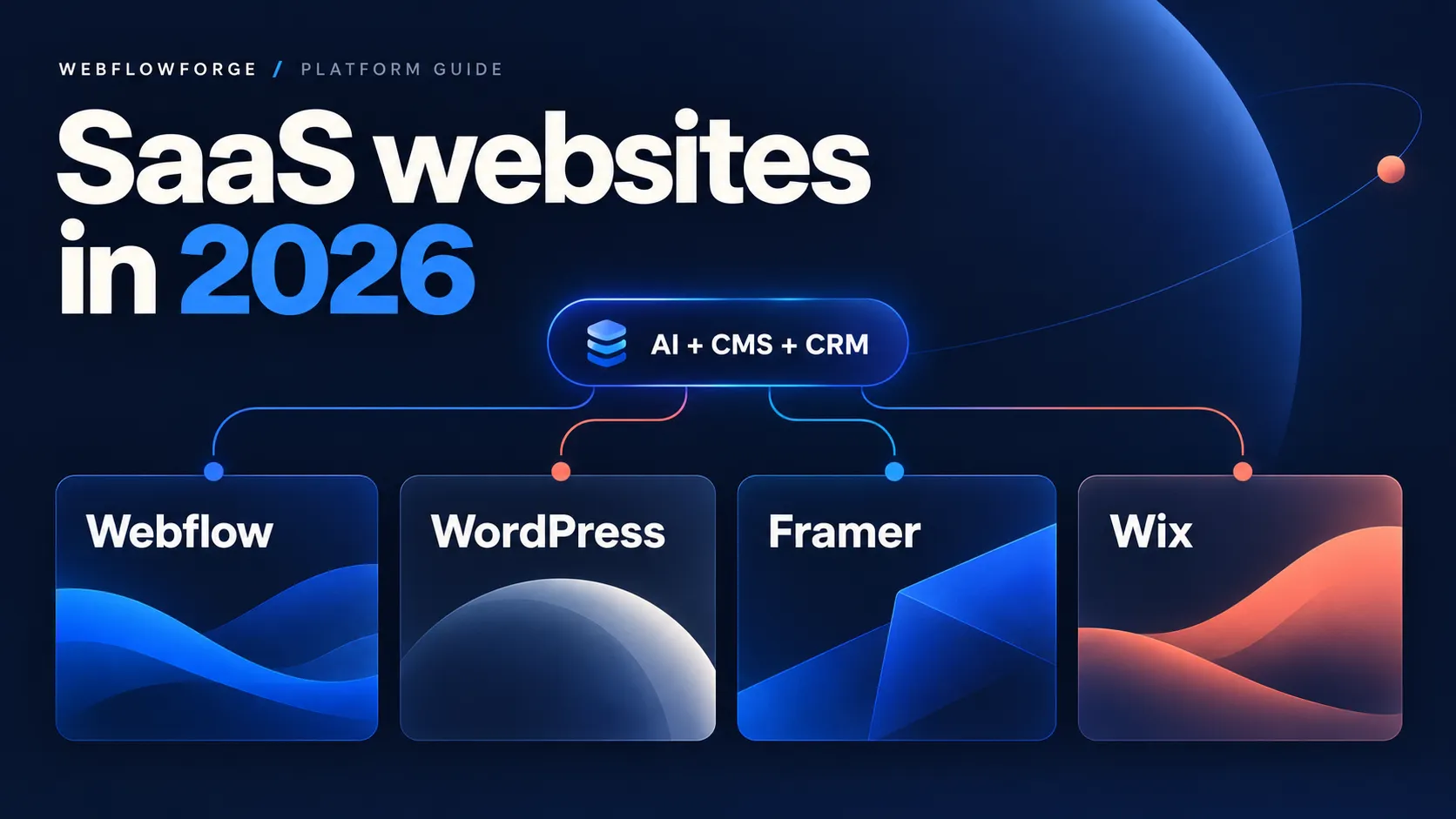


Webflow is our best overall marketing website platform for a growing B2B SaaS company in 2026 when the priorities are a distinctive brand, structured CMS content, reusable landing pages, and connections to CRM and AI tools. Choose WordPress when custom publishing and infrastructure ownership matter most; Framer for a focused, design-led launch; and Wix when a small team wants its website and everyday business tools together.
This is a technical buying guide for the public marketing website: product pages, comparison pages, resources, demo forms, and campaign landing pages. Your authenticated SaaS application can remain on its own stack. A website builder should not determine how you implement tenant isolation, subscription entitlements, or product authentication.
Reviewed October 26, 2026. Webflowforge specializes in Webflow and automation, so our recommendation reflects that perspective. These are editorial judgments based on documented capabilities and the workflows below, not a controlled performance benchmark. Examples are illustrative, not reported client results.
Webflow vs WordPress vs Framer vs Wix: which SaaS website builder should you choose?
The deciding question is not simply “Which builder has AI?” It is “Can our marketing team make the changes we need, connect the right data, and maintain the result?”
| Platform | Best fit | Easier for marketers | Likely technical handoff |
|---|---|---|---|
| Webflow | Growing SaaS marketing operations | Editing a well-built component and CMS system | Initial architecture, complex layouts, integration reliability |
| WordPress | Content-heavy sites with custom requirements | Publishing through a configured editor | Plugin conflicts, custom fields, hosting and maintenance |
| Framer | Design-led startup launches and focused campaigns | Visual page iteration and simple form connections | Complex data sync and custom components |
| Wix | Small teams wanting an integrated business platform | Standard forms, contacts and built-in automations | External CRM mapping and bespoke backend logic |
1. Webflow: best overall for a connected SaaS marketing website
Webflow is our default recommendation when a marketing team needs a consistent design system across product, industry, integration, and customer-story pages. Its value depends on the foundation: components should expose useful editing controls, while CMS collections should represent real content types.
Technical reason: Webflow’s CMS API exposes collections, fields, and items, with separate staged and live content. An integration can prepare a draft without immediately changing the published article. That separation is useful for AI-generated content and editorial review. Webflow CMS publishing documentation.
AI connection: the official Webflow MCP exposes design and site-management tools to compatible clients including Claude, Codex, and Cursor. It can operate on elements, styles, components, variables, and CMS data within the authorized account’s permissions. Site-specific agent instructions can describe the design and content rules. Coverage is not identical to the entire product: for example, the documentation distinguishes GSAP interactions from Classic interactions. Inspect the available tools before promising a particular operation. Webflow MCP capabilities and limitations.
Easy for nontechnical users: adding a customer story to an existing CMS collection, updating approved component content, and requesting a draft through a connected assistant. Harder: deciding the CMS schema, fixing responsive layout inheritance, and debugging API errors. AI can help execute changes, but an unclear content model still produces an unclear website.
Example: a SaaS company needs 30 integration pages, each with a logo, supported use cases, setup notes, and a demo CTA. Build one structured collection and template, then populate reviewed entries. This is a strong Webflow use case because repeatability matters more than designing each page independently.
Choose something else when: your central requirement is a highly customized publishing backend or control of the hosting stack. Also separate marketing from application logic: a demo form is not a substitute for a secure signup and provisioning service.
2. WordPress: best for publishing flexibility and custom infrastructure
Here, WordPress means the open-source software on a suitable hosting provider. WordPress.com is a managed service with its own plans and integration paths; do not assume every hosting arrangement has the same permissions or APIs.
Technical reason: the core REST API provides structured access to posts, including draft status, content, excerpts, and featured media references. A backend integration can create a draft with POST /wp-json/wp/v2/posts, then retain the returned ID for updates. This makes WordPress a practical choice for content operations that already have developer support. WordPress posts API.
AI connection: the official WordPress MCP Adapter connects the Abilities API to MCP. Its usefulness depends on which abilities your installation exposes; installing an adapter does not automatically make every plugin feature available to Claude or Codex. For deterministic API jobs, WordPress Application Passwords provide revocable credentials associated with a user. Use a suitably restricted integration user over HTTPS. WordPress MCP Adapter; Application Passwords.
The hidden integration detail: writing the article body does not necessarily update your SEO plugin’s title or custom editorial fields. Those fields need supported endpoints or explicit REST exposure, appropriate permissions, and sanitization. WordPress documents register_meta with show_in_rest for this purpose. Custom REST fields.
Easy for nontechnical users: routine publishing after the editor, templates, and roles are configured. Harder: choosing compatible plugins, diagnosing conflicting output, and owning updates and recovery. Managed hosting can reduce infrastructure work, but somebody still needs responsibility for the application’s configuration.
Example: a SaaS publisher has a large research library with specialist taxonomies, custom editorial states, and a long-established WordPress team. Extending that system may be a better investment than migrating for a different visual editor. Performance depends on the theme, plugins, hosting, caching, and media—not the WordPress label alone. WordPress performance guidance.
3. Framer: best for a focused SaaS launch and visual iteration
Framer is our first alternative when a founder or designer needs a polished product narrative, pricing page, small resource section, and demo capture. For this scope, reducing the number of decisions and handoffs can matter more than building a broad publishing system immediately.
AI connection: Framer now offers an official MCP server at https://mcp.framer.com/mcp, with connection paths for Claude, Codex, ChatGPT, and Cursor. It supports AI-assisted site design and updates. Advice that Framer can only connect through a homemade MCP wrapper is out of date. Official Framer MCP.
Technical distinction: Framer’s Server API can update and publish a project without keeping the editor open. Its documented SDK uses JavaScript and a persistent WebSocket connection. A workflow tool that only makes ordinary REST requests may therefore need a small backend wrapper. Framer also documents that Server API operations are not transactional: a failed multi-step script may leave partial changes. Server API overview; Server API constraints.
Easy for nontechnical users: visual landing-page edits and connecting a form to an existing webhook URL. Harder: maintaining custom components or troubleshooting a scheduled CMS synchronization script. The official MCP reduces setup friction for interactive editing; it does not remove the need to design reliable unattended jobs.
Example: an early SaaS startup has six core pages and wants to test two positioning directions. Framer is a sensible shortlist candidate. Before using it for a more complex content operation, prototype your actual relationships, localization, approval process, and integration volume rather than assuming either unlimited flexibility or an inherent inability to scale.
4. Wix: best for a small team that wants business tools together
Wix is worth considering when the marketing site also supports a simple service operation: enquiries, contacts, appointments, events, or a small store. A team already using Wix business tools may save more effort by connecting those tools than by adopting a separate stack.
AI connection: Wix’s official MCP can search developer documentation, help generate platform code, and make supported API calls on authorized sites. It is available as a Claude connector and at https://mcp.wix.com/mcp. Wix distinguishes this management connection from Wix Site MCP, which connects visitors’ agents to an individual site. These are different capabilities; neither should be confused with guaranteed AI-search visibility. Wix MCP documentation.
Technical reason: Wix Automations includes an HTTP request action for external services. A form trigger can map selected fields into an external endpoint and use a defined response structure in later steps. Wix explicitly describes this as an advanced feature, and it does not support calling Wix’s own APIs through that action. Wix HTTP request automation.
Easy for nontechnical users: standard website edits and built-in business workflows. Harder: custom API authentication, response mapping, and multi-system error recovery. Visual automation interfaces still require an understanding of the data being moved.
Example: a small SaaS consultancy also sells onboarding sessions and runs webinars. Wix may fit its mixed business needs well. For a SaaS company whose main requirement is a tightly controlled library of branded marketing templates connected to a separate CRM, we would compare Webflow first.
How to connect your SaaS marketing website to Claude, Codex, LLMs and your CRM
Plan four connection workflows: an assistant managing your website, automated lead routing, AI-assisted content publishing, and a visitor-facing AI feature. They may use the same model provider, but they require different permissions, execution environments, and failure handling.
Connection 1: Claude or Codex manages your website through MCP
Connection logic: operator → AI client → authenticated platform MCP → authorized site tools → draft or staged changes → review → publish.
MCP supplies tools and context to an AI client. It does not make a model omniscient or grant access to features the server does not expose. Codex supports local STDIO and remote Streamable HTTP MCP servers, with configuration and authentication depending on the server. Other assistants must support the relevant transport and account authorization too. Official OpenAI MCP documentation.
Webflow: connect the official server, identify the site and collection, inspect fields, and create a staged CMS item. WordPress: verify the installed adapter and exposed abilities, or use an authenticated REST integration. Framer: use the official MCP for supported project edits; evaluate the Server API for scheduled jobs. Wix: authorize the official MCP and inspect the relevant API schema before executing changes.
A useful prompt is: “Inspect our case-study collection and an existing item. Create one draft from these approved notes. Preserve field types, use existing categories, add a factual description and image alt text, and return the item ID for review.” This is more dependable than asking the assistant to invent the content model as it writes.
Connection 2: website form → n8n, Make or Zapier → CRM
Connection logic: form submission → verified webhook → normalized fields → duplicate check → optional LLM classification → CRM create/update → owner notification → execution log.
- Webflow: native forms can send submissions to webhooks. A custom form action is a different route and bypasses Webflow’s built-in submission storage. Decide which behavior you need. Webflow form destinations.
- WordPress: choose a form plugin with a documented webhook or automation integration. The form payload and delivery behavior depend on that plugin, so test the actual implementation.
- Framer: forms send JSON through HTTP POST. The receiver must return a successful 2xx response; Framer documents up to five retries after unsuccessful delivery and provides signature verification and a submission ID. Use that ID to prevent duplicate processing. Framer form webhook setup.
- Wix: use an appropriate form trigger and the external HTTP request action, then explicitly map the request body and response fields.
Illustrative payload: keep a stable submission_id, email, company_domain, use_case, utm_source, utm_campaign, and the applicable consent information. A missing optional company size should not cause a valid enquiry to disappear.
Make deduplication deterministic. Store the submission ID as a unique processing key. Look up a contact by the agreed identity rule, then create or update it. A simple search followed by create can race if two events arrive together; use the CRM’s supported upsert operation or serialize matching records where necessary. Do not ask an LLM to decide whether two email addresses are identical.
Use an LLM for bounded interpretation, such as classifying free-text needs into an approved list: “analytics,” “security,” “integration,” or “other.” Validate its output and route uncertain cases to review. A model response should not independently overwrite account ownership or invent a budget.
Persist the event before acknowledging it if downstream work continues asynchronously. Retry transient failures with backoff, log permanent validation failures, and alert the workflow owner. This integration work is where all four platforms become harder for a nontechnical user. The platform changes how the event enters the workflow; it does not eliminate the CRM’s data rules.
For a concrete implementation path, see our Webflow HubSpot integration services and n8n, Make and Zapier workflow automation.
Connection 3: AI-assisted content publishing
Connection logic: approved brief and sources → LLM draft → factual and editorial review → schema validation → CMS draft → page preview → explicit publish step.
Keep a source record with the content: source URLs, checked date, product claims, and the CMS item ID. Maintain a mapping from the source record to the destination ID so a retry updates the same item rather than creating a second article. Image upload, metadata creation, and publication can be separate operations; confirm each result.
On Webflow, map values to real collection field slugs and use staged content. On WordPress, map core post fields separately from custom or SEO-plugin fields. On Framer, make Server API scripts resilient to partial completion. On Wix, inspect the specific CMS or Blog API schema rather than treating all content objects as interchangeable.
Claude, OpenAI models, Gemini, or another LLM can draft or classify through a backend integration when the selected provider and workflow tool support it. Keep API credentials on the server or in the automation tool’s credential store. A website’s browser-side script should not contain a private model API key.
Connection 4: a customer-facing AI assistant
Connection logic: website chat UI → your backend → retrieval from approved product documentation → model → response with useful source links.
This is a separate software feature, not something you obtain merely by connecting the builder’s MCP to your own Claude account. Each platform can be evaluated for an appropriate widget, embed, or custom frontend. The backend should handle access control, usage limits, logging, and the provider credentials. Keep private customer documents out of a public retrieval index.
For a SaaS marketing site, start with public product and integration questions. Send account-specific support to an authenticated flow. Our AI workflow implementation service covers planning these boundaries and review steps.
Want to apply this to your setup?
SaaS website SEO, GEO and the final platform decision
Technical SEO: evaluate the output, not the builder’s reputation
A SaaS website platform should let you maintain unique page titles and descriptions, stable URLs, useful internal links, accessible text, appropriate indexing rules, and accurate structured data. Inspect the rendered output of real pages before committing to a migration.
- Webflow SEO: collection-template settings can bind titles and descriptions to CMS fields, making metadata repeatable across integration and customer-story pages. Dynamic Webflow SEO settings.
- WordPress SEO: confirm which theme or plugin owns metadata and schema, and which fields your integration can actually update. Avoid multiple components generating conflicting markup.
- Framer SEO: page-specific settings and CMS variables support unique titles, descriptions, and social previews. A small Framer site does not need to migrate merely to get those controls. Framer metadata documentation.
- Wix SEO: page-type settings include structured-data controls, and Wix supplies canonical and social metadata defaults. Check those defaults against the intended page rather than assuming Wix cannot support technical SEO. Wix SEO settings.
For performance, test the same representative page types on mobile: a landing page, a long resource, and a form-heavy page. Measure Core Web Vitals where field data is available, and inspect media weight, third-party scripts, font loading, and interaction costs. This guide does not claim one platform is universally fastest; a crowded tracking stack can undermine any builder.
GEO and AEO: make the buying decision easy to understand
Generative engine optimization and answer engine optimization benefit from clear, supported answers. Explain the use case, state the recommendation, name its limits, and attach sources to technical claims. Keep important comparisons in readable page text and link the article from relevant resources.
Google says the established SEO requirements remain applicable to its AI search features, with no special AI schema required. Useful FAQs can clarify a decision, but adding questions, repeating keywords, or enabling MCP does not guarantee a citation in ChatGPT, Google, or another answer engine. Google’s AI-search guidance.
Cost and ownership: compare the complete operating model
Compare a realistic annual budget: platform or hosting fees, editor access, CMS and localization requirements, paid apps, automation executions, model usage, implementation, and ongoing support. Check current plans against your actual needs instead of choosing from an entry-level headline price.
For WordPress, budget ownership of updates, backups, compatibility, and hosting. For Webflow, Framer, and Wix, examine the hosted platform’s limits and migration implications. Content export, visual design export, and the ability to reproduce dynamic behavior elsewhere are different questions. Test a sample migration if portability is a deciding factor.
Our recommendation: choose the platform your team can operate
Choose Webflow for a growing SaaS marketing team that needs reusable branded pages, a structured CMS, and a well-defined CRM and AI workflow. Choose WordPress when custom publishing and infrastructure control justify technical ownership. Choose Framer when a focused launch and frequent visual iteration dominate the brief. Choose Wix when integrated everyday business tools reduce work for a small team.
Before signing off, ask a nontechnical teammate to complete three tasks on a prototype: create a landing page from an approved pattern, publish a reviewed article, and trace a test lead from form to CRM. Record where they need help. That evidence is more useful than a feature checklist that says every platform “integrates with AI.”
Need a platform decision tied to your real marketing stack? Talk to Webflowforge about your SaaS website and automation requirements. Bring your content types, existing CRM, priority integrations, and the people who will maintain the site.
Frequently asked questions
What is the best website platform for SaaS marketing in 2026?
Our overall recommendation is Webflow for a growing SaaS team that values a reusable design system, structured content, and connected marketing operations. WordPress is stronger when custom publishing and infrastructure ownership lead the requirements; Framer suits focused visual launches; Wix suits small teams using its integrated business tools. The best choice depends on the team’s workflow and technical support.
Can Claude or Codex update Webflow, WordPress, Framer and Wix?
They can work through compatible, authenticated integrations. Webflow, Framer, and Wix provide official MCP servers; WordPress offers an official MCP Adapter that exposes available abilities. Actual actions depend on the client, permissions, server tools, and site configuration. A connection does not guarantee access to every editor or plugin feature.
Which SaaS website builder is easiest for a nontechnical marketer?
For a small initial site, shortlist Framer for visual page work and Wix for integrated business tasks. For ongoing content production, a well-configured Webflow or WordPress system can also be straightforward. Test the actual editing tasks: initial ease of building and long-term ease of operating are different requirements.
Is Webflow better than WordPress for SaaS SEO?
Neither guarantees better rankings. Webflow offers a hosted visual workflow with dynamic CMS metadata; WordPress offers extensive customization but requires decisions about plugins, themes, and maintenance. Compare the pages’ crawlability, content, metadata, links, and performance, plus the team’s ability to keep those correct.
Do I need MCP to connect my website to n8n or an LLM?
No. Webhooks and authenticated APIs are enough for many scheduled or event-driven workflows. MCP is useful when an assistant needs to discover and invoke supported tools interactively. An LLM API call inside n8n is a different connection from giving an assistant access to your website’s management tools.
Will FAQ content or an MCP connection improve GEO automatically?
No automatic improvement is established. FAQs should answer real buyer questions accurately and make the article easier to use. MCP enables tool access; it is not a search-ranking signal you can switch on. Publish useful, crawlable, supported content and measure visibility and qualified enquiries over time.



