
The Pre-Design Phase – Planning Web Ecosystems
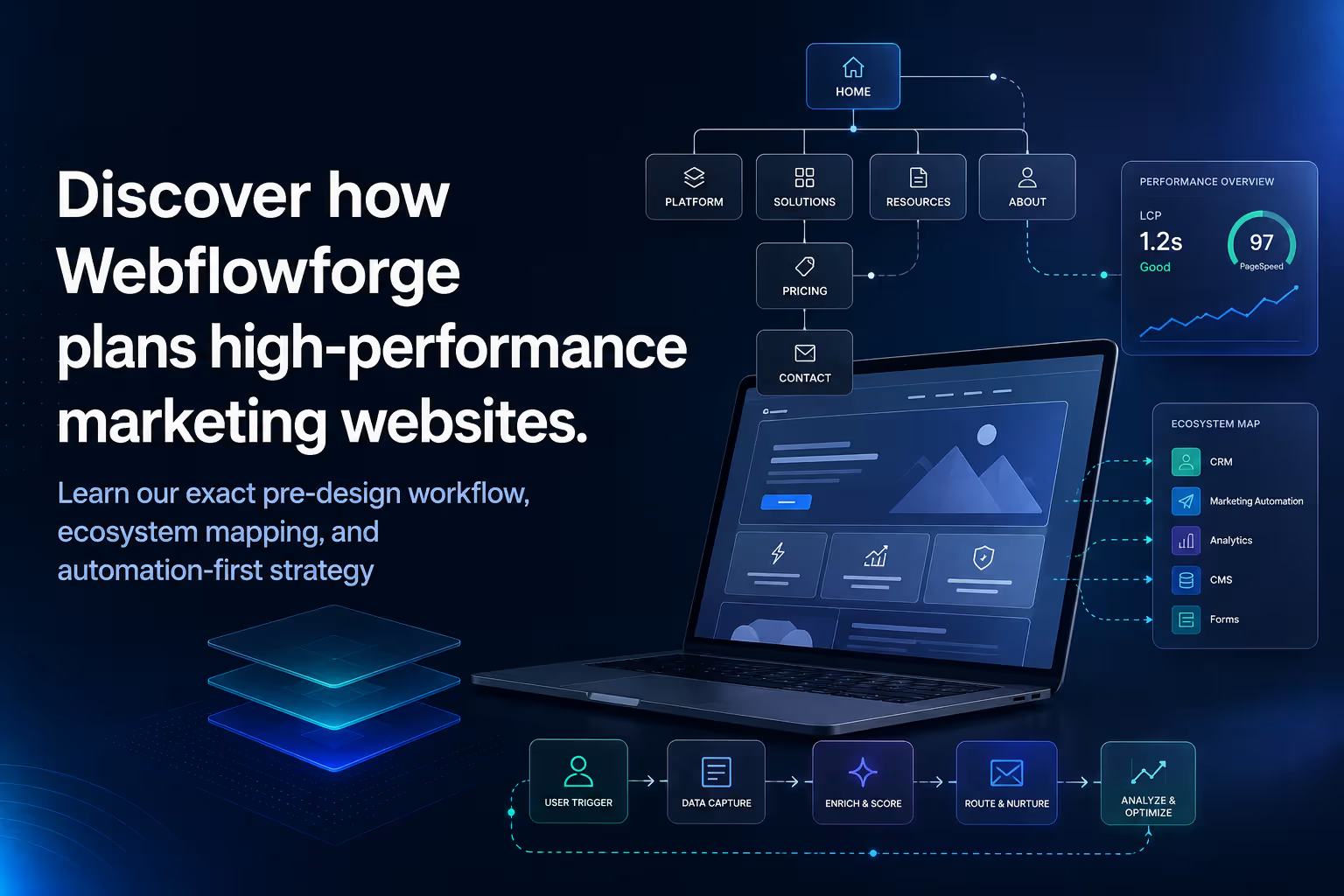


At Webflowforge, we don't just build marketing websites; we architect growth ecosystems. A marketing website is the digital front door, but for it to truly drive business, it has to seamlessly talk to CRM systems, tracking tools, and internal operations.
Because of this, design never starts with a blank canvas. It starts with deep operational alignment. This playbook outlines exactly how we think, what we analyze, and the step-by-step process we follow before a single pixel is placed in Figma.
🧠 Our Mindset: How We Think Before We Design
Before you touch a design tool, shift your perspective from "graphic designer" to "business architect." We ground our thinking in three core pillars:
- The Website is a Data Hub: Every button, form, and page is a data collection point. The design must accommodate data structures that will seamlessly pipe into HubSpot or Monday.com.
- Conversion Over Aesthetics: A beautiful site that passes zero tracking events to Google Tag Manager (GTM) is a failure. Visual layout must guide the user naturally toward high-value actions.
- Scale and Autonomy: We build in Webflow so clients can manage their content easily. Our designs must respect CMS scalability—how will this layout look when the client adds 50 more blogs or 10 new team members?
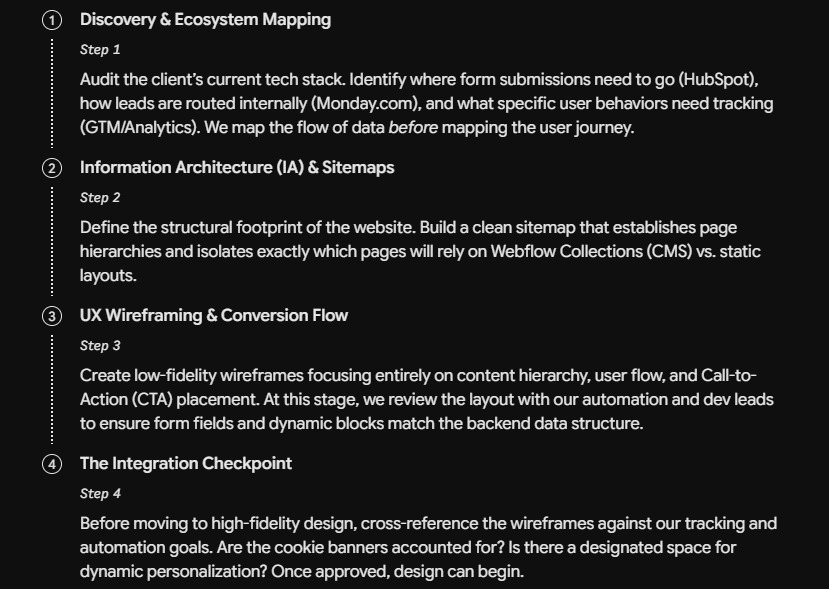
🛠️ Step-by-Step: The Pre-Design Workflow
We follow a strict 4-step sequence to ensure our designs are rooted in strategy, data, and technical feasibility before the creative execution begins.
Want to apply this to your setup?
🎯 Use Cases to Consider During Design
Because we specialize in marketing websites connected to complex tech stacks, our designs must actively solve specific business use cases. When designing, always account for these five scenarios:
1. The Multi-Channel Lead Capture
- The Scenario: A user lands on a service page via a paid ad, downloads an e-book, or requests a demo.
- Design Consideration: Forms cannot be an afterthought. Design multi-step or progressive forms beautifully. Ensure there is clear visual real estate for hidden fields (like UTM tracking parameters) and that error/success states match the brand aesthetic.
2. The Dynamic Content Engine (Webflow CMS)
- The Scenario: The marketing team needs to launch a new landing page, case study, or blog post without engineering help.
- Design Consideration: Design components dynamically. How does the layout hold up if a blog title is three lines instead of one? What happens if a case study doesn't have a video? Design for the extremes of content variation.
3. The Analytics & GTM Frictionless Layer
- The Scenario: Data analysts need to track exactly which features users click on most.
- Design Consideration: Avoid "clever" but non-standard UI elements that confuse tracking scripts. Ensure standard button classes, clear link structures, and predictable layouts so GTM can hook into click events flawlessly without breaking the design.
4. The Automated Operations Hand-off
- The Scenario: A lead fills a form, creating a ticket in Monday.com and a contact in HubSpot simultaneously.
- Design Consideration: The post-submission experience matters. Design intuitive "Thank You" pages or confirmation modals that load quickly, keep the user engaged, and don't interrupt the background API webhooks.
5. Compliance & Trust Infrastructure
- The Scenario: The site must comply with global privacy laws (GDPR/CCPA) without tanking conversion rates.
- Design Consideration: Factor cookie consent banners, privacy policy links, and terms layouts into the original UI. A poorly placed cookie banner can ruin a beautiful hero section; design for it from day one.
The Webflowforge Golden Rule: We do not build digital brochures. We build high-performance machinery. If a design element looks great but hinders tracking, breaks the CMS logic, or slows down page load speed—we rethink the design.
Want this built for you?
Webflowforge designs and builds custom Webflow websites, automations, and AI workflows for service companies and SaaS teams. Want a marketing site architected around your CRM and tracking from day one? Tell us about your project and we'll scope it with you.
Planning a platform switch as part of the ecosystem? We run WordPress to Webflow migration end to end — SEO-safe redirects, CMS rebuild, and Webflow automation wired in from day one.
Related guide: AI Webflow Design Workflow: Banani, Figma & Claude





