
Webflow, HubSpot & Stripe Integration: Fixing Enterprise PLG Account Data Silos with n8n



Every enterprise SaaS company aiming to bridge the gap between product-led trials and account-based sales faces a critical point of failure. A user signs up for a free trial on your Webflow frontend, their corporate profile updates inside your SaaS application database, and they eventually initiate a subscription via Stripe. Meanwhile, your outbound sales team is actively working a high-value account inside HubSpot or Salesforce with no visibility into this self-service user activity.
This tracking failure results in duplicate records, lost expansion opportunities, and fragmented metrics. Resolving this data gap requires a deterministic, event-driven data pipeline that coordinates your marketing, billing, and sales databases into a single system.
The Enterprise Technology Stack
- Marketing & Inbound Core: Webflow Enterprise (Native Custom Form Architecture)
- Workflow Orchestration Spine: n8n (Asynchronous Event Processing & Data Normalization)
- CRM Ledger: HubSpot Enterprise / Salesforce (Account & Contact Mapping Lifecycle)
- Billing Engine: Stripe Billing API (Durable Invoicing & Lifecycle Tracking)
How do you sync Webflow user trials with Stripe and HubSpot CRM? >
To sync Webflow trials across Stripe and HubSpot, route inbound frontend events through n8n to perform an asynchronous email lookup. The automation system checks for existing customer records across platforms, registers active trial states, tracks automated Stripe subscription conversions, and maps the corresponding account owners inside your CRM ledger to prevent data duplication.
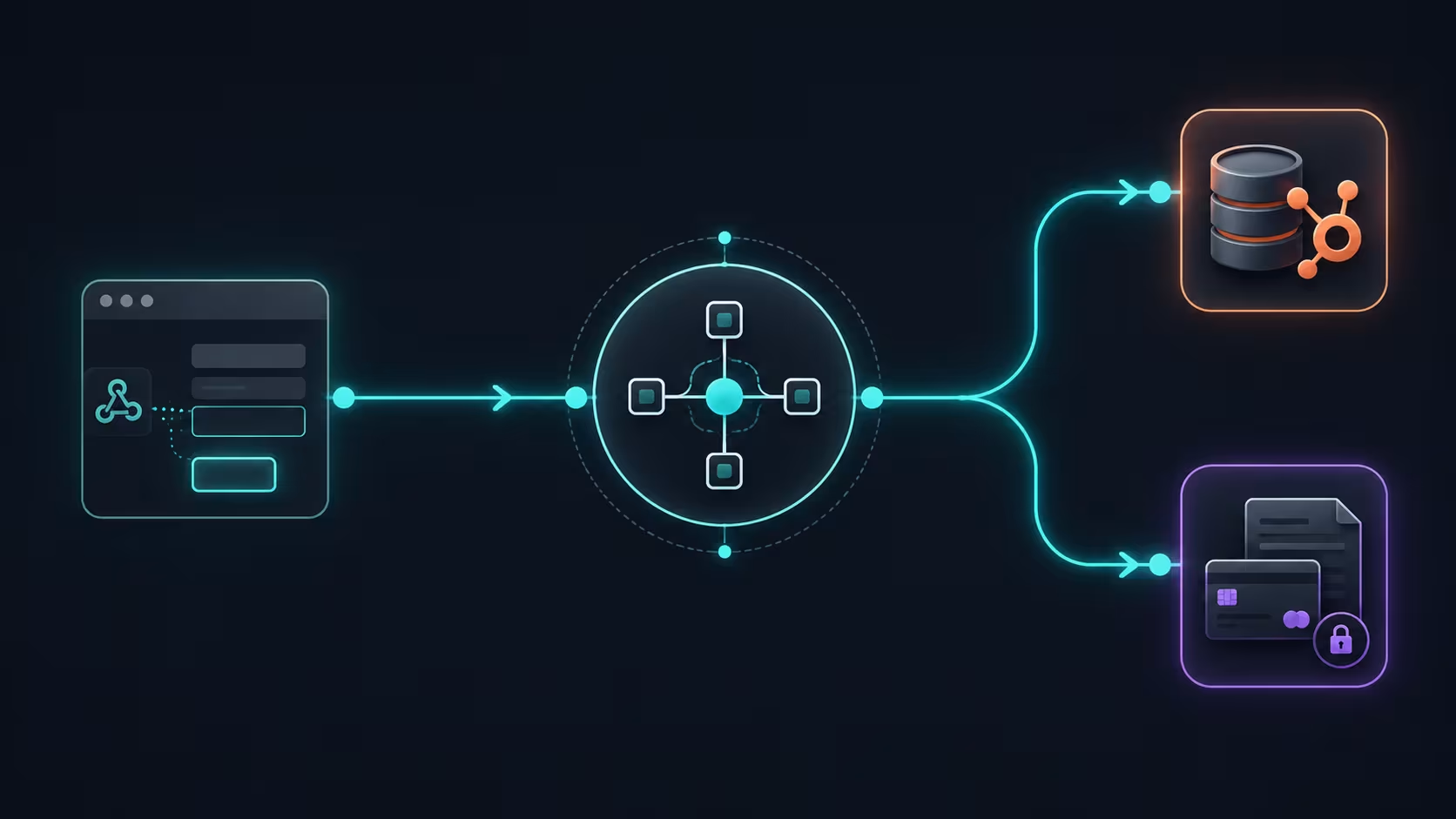
Technical Architecture: Building the Account-Level Upsert Pipeline
The primary reason simple integration tools fail at enterprise scale is their reliance on basic email-matching logic. When an enterprise account has forty distinct users sign up using subdomains or international extensions, basic integrations generate separate contact entries without associating them with the primary corporate parent account. The operational remedy is an asynchronous "Account-Level Upsert" pipeline executed via n8n.
The Asymmetric Enterprise Synchronization Loop
Want to apply this to your setup?
Managing Billing Lifecycles and Handling Webhook Rate Limits
A common implementation pitfall is configuring Webflow or Stripe to trigger synchronous updates directly to your CRM. During high-volume marketing campaigns or bulk renewal cycles, this approach can quickly hit your CRM's concurrent API rate limits, causing data synchronization to fail. To make your integration resilient, configure n8n to ingest raw webhook data payload loops into an interim ledger before executing downstream modifications.
If a Stripe API call fails or a customer's card is declined mid-transaction, the n8n data loop captures the error state, Pauses execution, tags the HubSpot Account Owner with a real-time Slack notification, and registers a retry request without dropping the primary customer profile.
Q: How do you prevent duplicate customer records when connecting Webflow forms to HubSpot?
A: Avoid using direct, standard automated push methods. Instead, route your website data webhooks through n8n to execute an asynchronous search step by email and parsed root domain first. If a matching profile exists inside HubSpot, update the entry and append a new form activity timeline event. If no match is found, create a clean record.
Q: Why should a B2B SaaS platform integrate its billing engine directly with its CRM?
A: Connecting billing tools like Stripe with a CRM ensures that account management and customer success teams have accurate, up-to-date access to user subscription statuses, pending invoices, and credit events. This alignment eliminates data silos and streamlines team outreach during expansion opportunities or contract renewals.
Want this built for you?
Webflowforge offers Webflow HubSpot integration for service companies and SaaS teams. Prefer to skip the setup and have your enterprise data pipeline implemented end-to-end? Tell us about your project and we'll scope it with you.
Related guide: Sync Webflow Native Forms to HubSpot with Make





