
Eilat X — The City's Best Spots, Finally Easy to Find
How we turned an influencer's curated local knowledge into a Webflow-powered discovery platform — with Finsweet CMS Filter at its core.
01 — Project Overview
One Influencer. One City.
Every Best Spot — Organized.
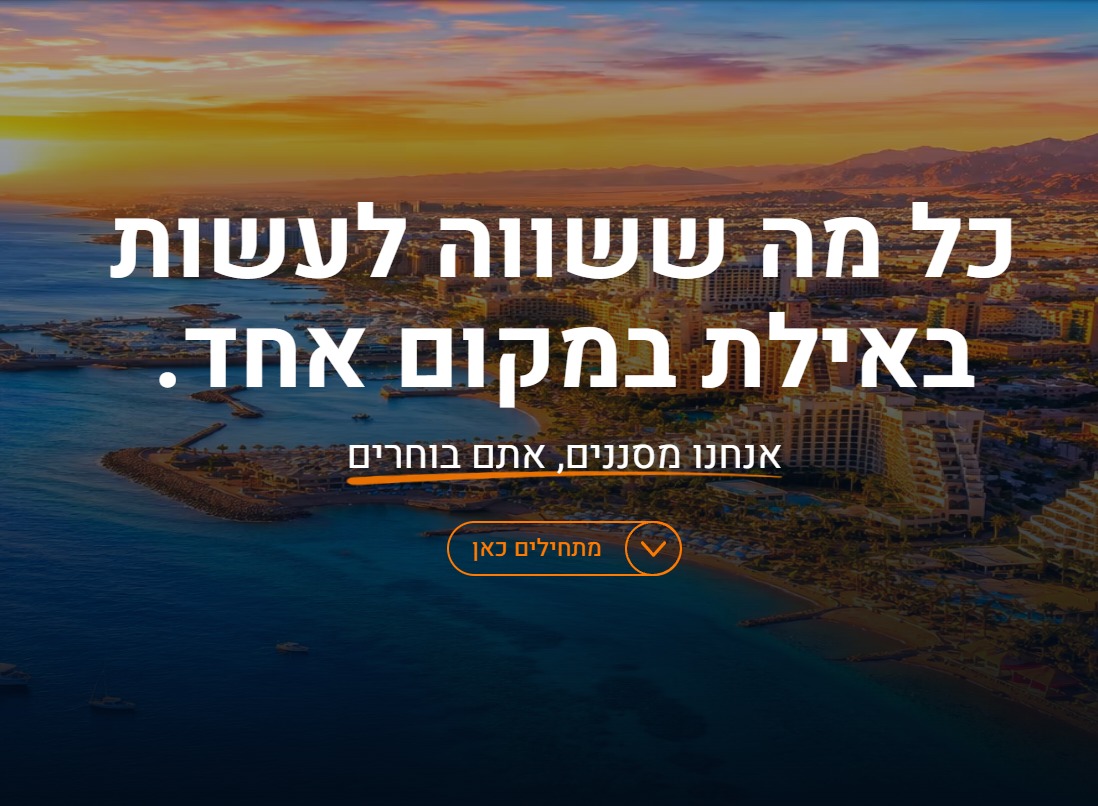
Eilat is Israel's southernmost city — a year-round resort destination at the tip of the Red Sea. It's compact enough to feel local, yet packed with hundreds of restaurants, beaches, clubs, activities, and hidden gems that overwhelm even seasoned visitors. Finding "the right place" is genuinely hard, not because the information doesn't exist, but because it's scattered across Google Maps reviews, Instagram reels, travel blogs, and word-of-mouth.
Eilat X is a different kind of guide. It's curated by a local influencer who actually lives there — someone who has tried everything, filtered out the noise, and built strong opinions on what's worth your time. The site isn't a review aggregator. It's a personal, opinionated, carefully structured directory of the best the city has to offer.
Our job at Webflowforge was to take that editorial point of view and translate it into a digital experience that consumers could actually use — fast, intuitive, and built to guide rather than overwhelm. The result is a Webflow CMS-powered directory with Finsweet CMS Filter, video integration via Wistia, and a filtering taxonomy built around how people actually think when they want to go somewhere.
02 — The Challenge
Categories Aren't Enough.
People Think in Feelings.
Most travel directories categorize by business type: restaurants, hotels, activities, nightlife. That's logical — but it doesn't match how real people decide where to go. Nobody wakes up thinking "I need a restaurant." They think: "I want somewhere romantic for tonight" or "we have the kids with us, needs to be easy."
The Problem
Standard category navigation forces users to know what they're looking for before they start searching. But tourist intent is often emotional and contextual — driven by mood, companion, time of day, or vibe. A flat list of categories fails this use case completely.
The Insight
We needed a filtering system where a family arriving tired from a flight could instantly surface "easy, casual, kid-friendly" options — while a couple looking for a date night could find "romantic, waterfront, ambient lighting" with equal ease. The taxonomy needed to think like a local friend, not a spreadsheet.
"The goal wasn't to show users every place in Eilat. It was to show them the right two or three places — the ones that actually match what they need right now."
03 — UX Taxonomy
Designing the Filter Logic:
Vibes, Needs & Contexts
Before writing a single line of Webflow CMS fields, we mapped how people actually decide where to go. We identified three distinct filtering dimensions that work together — and each one corresponds to a separate Webflow multi-reference CMS field:
Dimension 1 — Vibes
The emotional or atmospheric feel of a place. This is the first gut-level question: what kind of energy am I looking for? Vibes are the most subjective filter, and for that reason, the most powerful discovery lever:
Chill, Lively, Romantic, Scenic, and more.
Dimension 2 — Who You're With (Needs & Context)
Who you bring shapes everything about where you should go. A spot perfect for a solo traveler might be terrible for a family — and vice versa. We built a "who" filter that captures the most common trip compositions:
Family, Couples, Groups, and more.
Dimension 3 — Category
The traditional "what" layer — but made richer by the above. Once a user has filtered by vibe and context, the category filter narrows to the type of experience: beach, restaurant, bar, activity, nightlife, café, viewpoint. Because it sits on top of the first two filters, it acts as a refinement rather than a starting point — which keeps the number of results manageable and useful.
04 — Technical Implementation
Why Finsweet CMS Filter Is the
Right Tool for Webflow Directories
Webflow's native CMS is excellent for content management, but it doesn't ship with client-side filtering out of the box. For a directory like Eilat X — where a single location can have multiple vibes, multiple contexts, and belong to multiple categories — you need filtering that handles multi-reference relationships, fires without page reloads, and stays performant as the content library grows.
Finsweet's CMS Filter attribute library is the industry-standard solution for this in the Webflow ecosystem. It's a JavaScript library loaded via a single script tag, configured entirely through data- attributes in Webflow's HTML settings — no custom backend, no API calls, no build step required.
How We Structured the Webflow CMS
Each location in the Eilat X directory is a Webflow CMS Collection Item with the following key fields:
// Eilat X — CMS Collection: "Spots"

Name          → Plain Text
Slug          → Auto-generated
Description   → Rich Text
Cover Image   → Image
Wistia Video  → Plain Text (Wistia Video ID)
Category      → Multi-reference → "Categories" Collection
Vibe          → Multi-reference → "Vibes" Collection
Who Is It For → Multi-reference → "Contexts" Collection
Price Range   → Option (₪ / ₪₪ / ₪₪₪)
Is Featured   → Switch (boolean)
The multi-reference fields are the critical architectural decision here. Because a beach bar might simultaneously be "Chill," "Romantic," and "Couple-friendly," it needs to live in multiple filter buckets — something that's only possible with multi-reference relationships in Webflow CMS.
The Finsweet Filter Implementation
Finsweet CMS Filter works by reading data- attributes you add to elements directly in Webflow's Designer. The filter controls (buttons, checkboxes, dropdowns) are connected to the CMS list via matching attribute values — no JavaScript file to write, no configuration object to maintain.
<!-- Finsweet CMS Filter setup (simplified) -->

<!-- 1. Load the library -->
<script defer
  src="https://cdn.finsweet.com/files/cms-filter-1.js"></script>

<!-- 2. Filter Controls (added to each filter button) -->
data-wf-filter-value="romantic"    ← matches CMS tag value
data-wf-filter-field="vibe"         ← matches CMS field slug

<!-- 3. CMS List Wrapper -->
data-wf-filter-list="true"

<!-- 4. Each CMS Item carries its tag values -->
data-wf-filter-tag="vibe,romantic,chill"
The result: when a user clicks "Romantic" and "Couple," Finsweet intersects those two filters across all CMS items in real time — no page reload, no server request, no loading spinner. The visible items simply update. Combined with a results-count display and a clear-all button, the experience feels native and instant.
05 — Video Strategy
Why We Chose Wistia
Over YouTube
Every location on Eilat X has a short video — shot by the influencer herself, showing the actual vibe, not stock footage. Video is the closest thing to actually being there, and for a site whose entire value proposition is "trust me, this place is worth your time," it's non-negotiable. But the choice of video platform is a technical decision that has real UX consequences.
We chose Wistia instead of YouTube or Vimeo, and here's exactly why:
- No Suggested Videos - YouTube shows competitor content and random recommendations after every video. On a curated directory, that destroys the experience — you lose the user to YouTube the moment a video ends. Wistia keeps them on the page.
- No Ads, No Branding - YouTube injects pre-roll and mid-roll ads on embedded videos unless you pay to suppress them. Wistia is ad-free by design. The video starts immediately, full-screen, branded to the site — not to Google.
- Clean Autoplay on Hover - Wistia supports silent hover-autoplay with minimal setup — videos begin playing when a user mouses over a card, giving an instant preview of the place. YouTube's autoplay policies are inconsistent and often blocked by browsers.
- Full Webflow Integration - A Wistia Video ID stored as a plain text field in Webflow CMS is enough to embed any video anywhere on the page using Webflow's embed element and a small JavaScript snippet — no iFrame URL management, no API keys exposed in markup.
- Real Analytics - Wistia provides heatmap-level engagement data: where viewers pause, what they rewatch, when they drop off. This lets the influencer understand which spots generate genuine interest versus which videos underperform — and update accordingly.
- Performance & Speed - Wistia's embed loads lazily and doesn't block page render. Compared to a standard YouTube iframe embed, it has a measurably lower impact on Core Web Vitals — critical for both SEO and user experience on mobile.
In a discovery experience where the video is the pitch, keeping the user's attention inside your platform isn't optional. Every YouTube suggested video is a potential exit. Wistia eliminates that risk entirely.
06 — What We Built
A Discovery Platform That
Respects the User's Time
Eilat X launched as a fully functioning, editor-friendly directory that the influencer can manage entirely herself — no developer required for new listings, filter tag updates, or video swaps. The technical architecture stays invisible to end users, who experience it simply as "the fastest way to find a great spot in Eilat."
3 - Filter dimensions working in real-time simultaneously
0ms - Page reloads when filters are applied — instant client-side
100% - CMS-managed — owner updates listings without touching code
6+ - Vibe categories enabling emotion-first discovery
0 - Ad interruptions on video — full Wistia-powered playback
1 - Script tag needed to enable the entire Finsweet filter system
"People don't want more options — they want fewer, better ones. Eilat X doesn't try to list everything. It helps you find the two or three places that actually match your trip. That's the whole product." — The UX principle behind Eilat X's filtering system
07 — Technology Summary
The Stack Behind Eilat X
This project demonstrates what's possible with a no-code-first stack that doesn't compromise on experience. Every tool was chosen for a specific reason, and the combination produces results that would otherwise require a custom-built backend.
Webflow CMS
Webflow provides the content infrastructure — structured collection schemas, multi-reference fields, and a visual editor that non-technical users can manage confidently. For a site like Eilat X, where the influencer needs to add a new restaurant listing in five minutes between posts, Webflow's CMS editor is the right tool. It's intuitive enough that no handoff manual was needed.
Finsweet CMS Filter
Finsweet's attribute-based CMS Filter library is one of the most elegant solutions in the Webflow ecosystem. It extends Webflow's native CMS with real-time, client-side filtering that handles multi-reference fields, URL-based filter state (shareable filtered views), active state management, and result count display — all without a single line of custom JavaScript. For any Webflow project involving filtered content — directories, job boards, portfolios, event listings — Finsweet CMS Filter should be the first tool you reach for.
Wistia
Professional video hosting designed for marketers and product teams who need control over the viewing experience. Unlike YouTube, Wistia keeps users in your environment, provides deep analytics, supports hover-play and silent autoplay, and integrates cleanly with Webflow CMS via a stored Video ID. For consumer-facing sites where video is a core UX element, Wistia is the professional choice.
Our project is live and You can find it at EilatX
.avif)

Contact Us
- Webflow\Wordpress\Wix - Website design+Development
- Hubspot\Salesforce - Integration\Help with segmentation
- Make\n8n\Zapier - Integration with 3rd party platforms
- Responsys\Klavyo\Mailchimp - Flow creations





